 NotchDude
Download
NotchDude
Download
What’s new in NotchDude 1.13: See what your Mac is doing
A free System widget shows CPU, memory, GPU, network, and disk in the notch, with live graphs, a bar for every core, your startup disk’s space, and the apps using the most. The closed notch can show CPU and RAM too.
Meet System
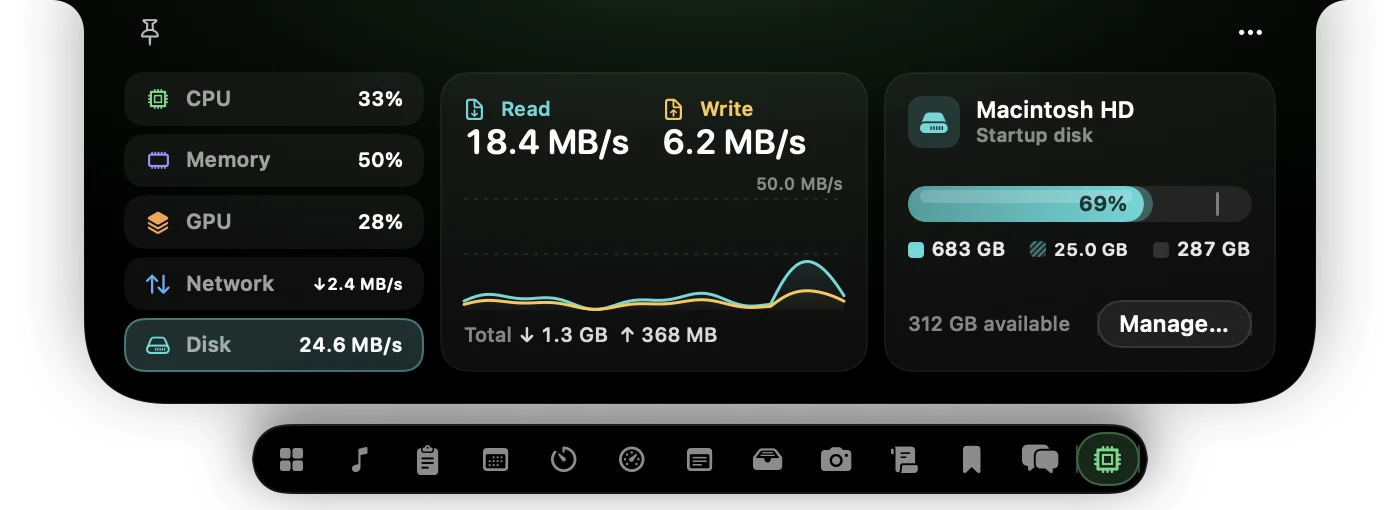
NotchDude 1.13 adds System, a widget that shows how hard your Mac is working without opening Activity Monitor. CPU, Memory, GPU, Network, and Disk sit down the side, each with a live reading and a graph of the last two minutes. Click one to see more. System is free for everyone.
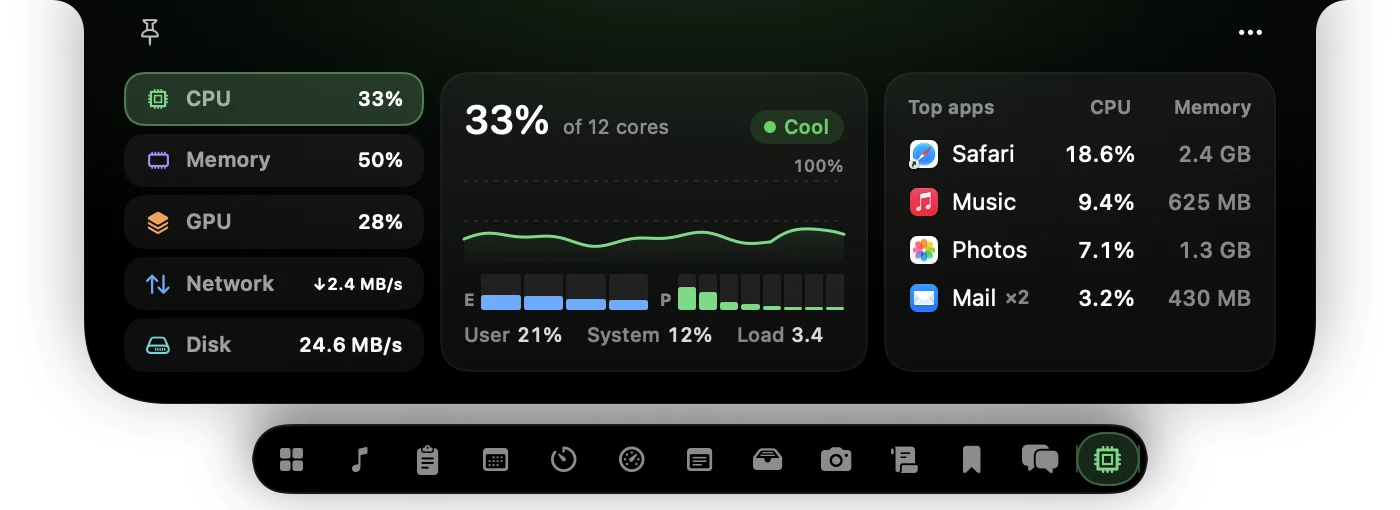
- CPU: user and system time, the load average, whether your Mac is warm enough to slow down, and a bar for each core, efficiency cores marked E and performance cores P.
- Memory: memory pressure as Activity Monitor shows it, what’s using memory (apps, wired, compressed, and cached), and swap.
- GPU: your graphics processor’s name and core count, how busy it is, split into drawing and geometry, and the memory it’s using.
- Network: Wi-Fi and Ethernet download and upload speeds, how much has moved since you opened the widget, and the peak.
The apps using the most
CPU and Memory list the apps using the most, with each app’s helper processes counted in: a browser’s dozens of helpers show up once, as the browser. Hover an app to see its threads. To quit one, hover it and click the cross that takes the place of its icon, then click again to confirm.
Your startup disk
Disk shows read and write speeds beside how full your startup disk is. The bar splits used space from purgeable space, the caches and iCloud files macOS clears on its own when it needs room, and what’s free, the way Finder counts them. A warning appears when the disk is running low, and Manage… opens Storage settings.
CPU and RAM in the closed notch
The closed notch’s right side can now show CPU and RAM, stacked beside the notch and turning orange past 90%. Choose it in Settings › Appearance › Closed notch › Right side. A System tile for Home is in the widget tray too.
Light on your Mac
System reads only while something shows it: every second with the widget open, every two seconds for its Home tile or the closed notch, and not at all otherwise. The heavier readings happen off the main thread. The readings stay on your Mac.
The widget fits any notch size, from a slim rail of icons on a narrow panel to a threads column on a wide one, and switching pages slides in from the direction you move. With Reduce Motion on, it fades instead.
1.13.1: Battery and menu fixes
13 October 2026: 1.13.1 fills a full battery icon all the way to its end, with the charging bolt or plug centred on the fill; before, it stopped just short. Icons in the notch’s ··· menu now match the menu’s text instead of showing in teal.
Try NotchDude on your Mac.
System is free. macOS 14 or later, Apple silicon.
Download for Mac