For MacBook · macOS 14 or later

Your notch,
finally useful.

Turn the unused space around your MacBook notch into a fast, private command center for music, AI limits, clipboard, focus, files, and more.

✓ No card required ✓ One-time purchase ✓ Private by design
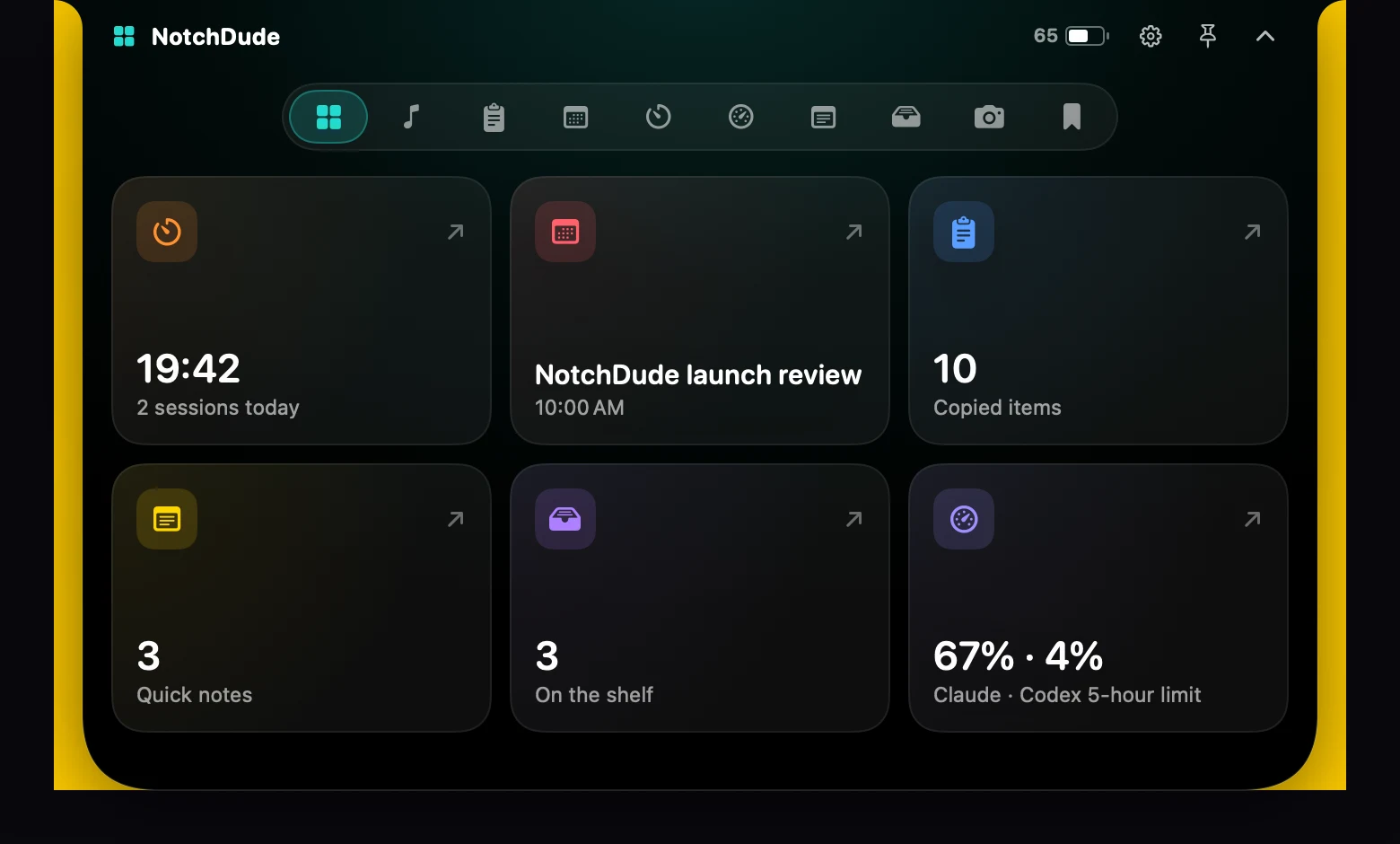
The real NotchDude dashboard shown at its actual size beneath a MacBook notch, with desktop space visible on both sides

Captured from the real macOS app

10 toolsin one notch
100% nativebuilt in Swift
0 accountsyour data stays local
$19.99launch price, once

The actual product

See it before
you install it.

Every image below was rendered from the real NotchDude macOS app—not a concept mockup.

01 · COMMAND CENTER

Everything important, without changing windows.

Hover once to see your day, current focus session, recent clipboard items, quick notes, file shelf, and AI usage. Pick a widget to go deeper.

  • Opens from the notch in one move
  • Works across every display
  • Keyboard shortcuts for every widget
Real NotchDude dashboard screenshot
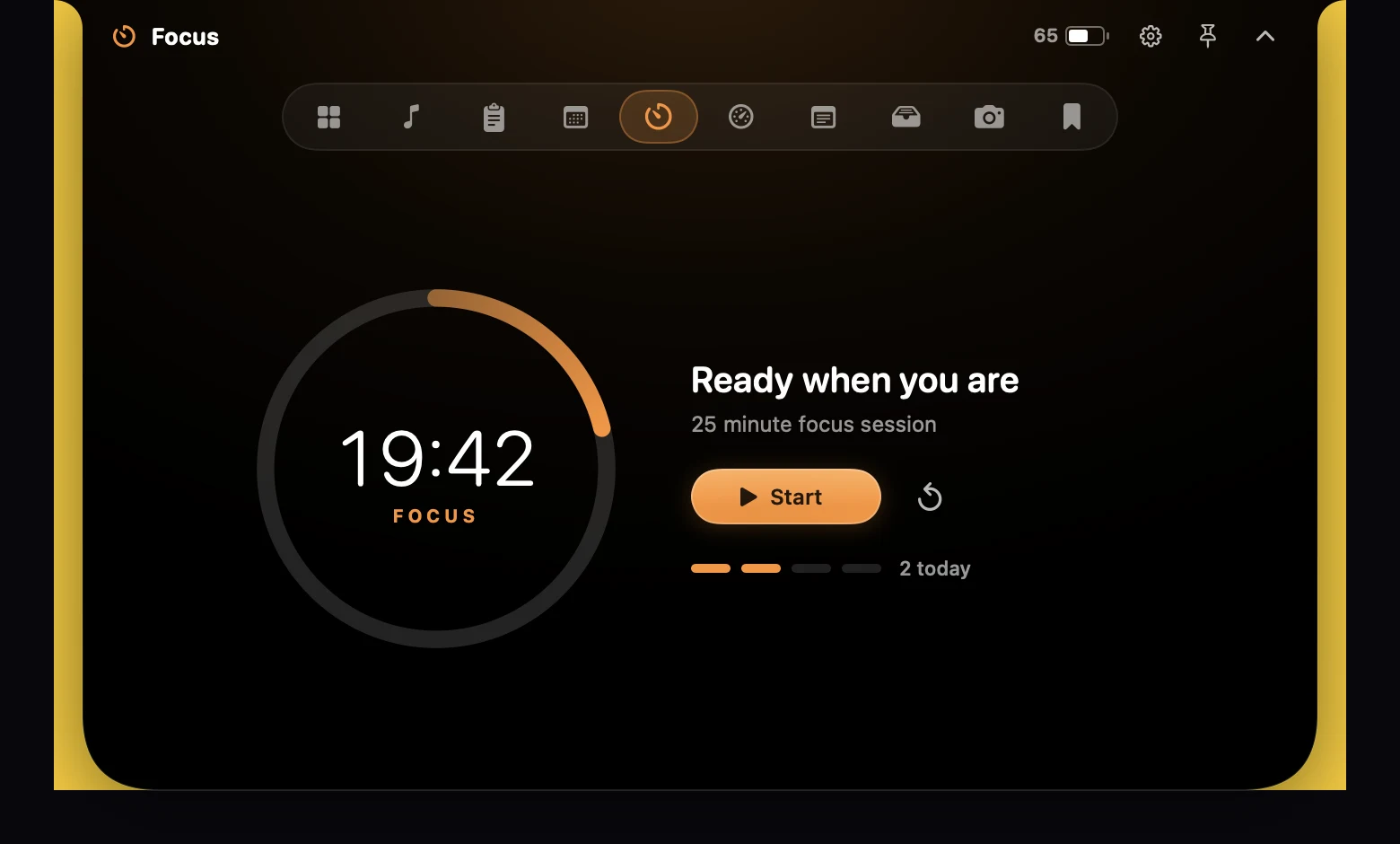
Real NotchDude Focus timer screenshot
02 · FOCUS

Start a calm 25-minute sprint.

A distraction-free Pomodoro timer that stays close without taking over your desktop.

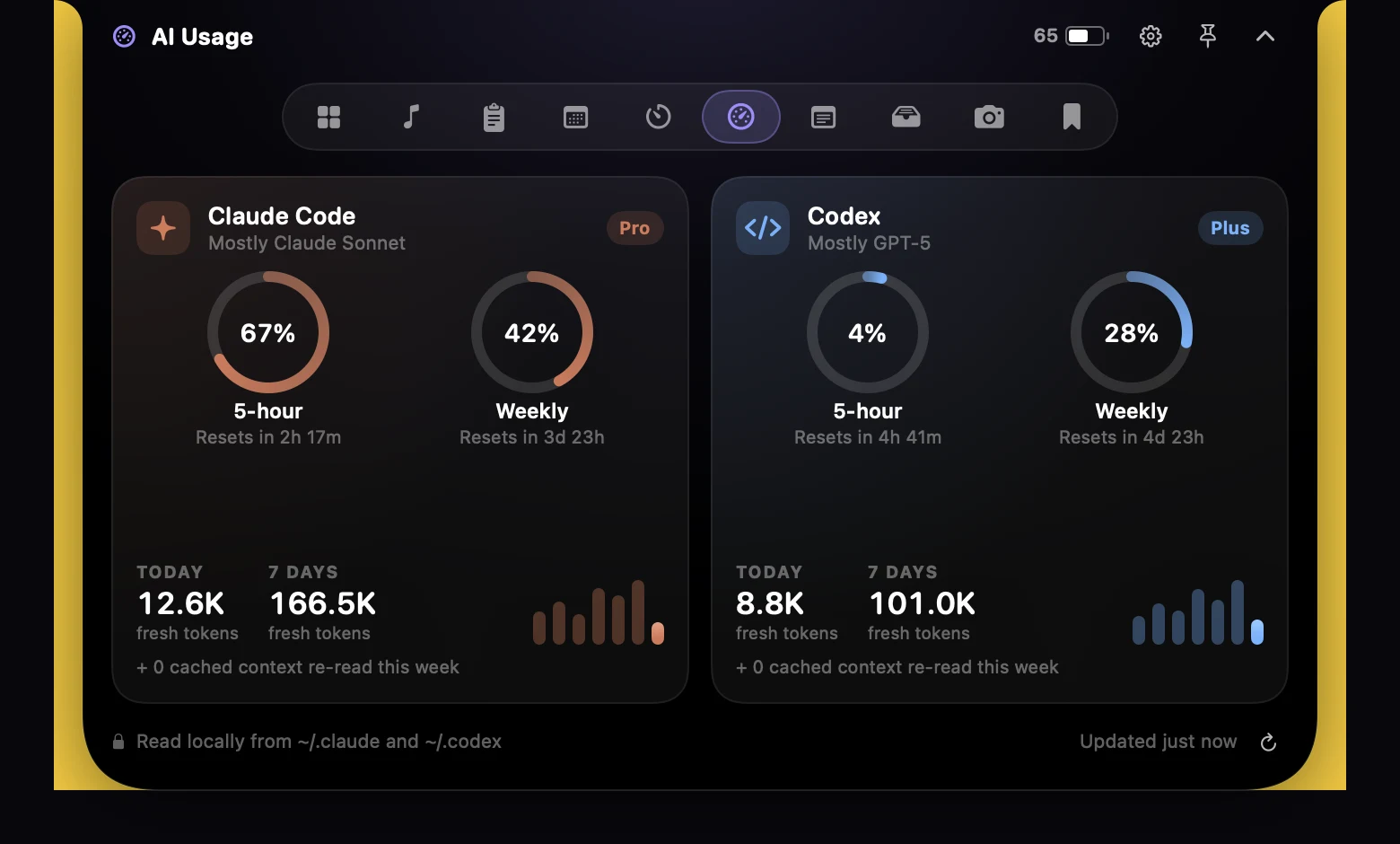
Real NotchDude AI Usage screenshot showing Claude Code and Codex limits, reset times, and token activity
03 · AI USAGE

Know your limits before they stop you.

See Claude Code and Codex usage, reset times, and recent token activity—read locally from your Mac.

♫ MusicSpotify and Apple Music controls
⌘ ClipboardSearch, pin, and reuse copied text
◷ CalendarToday and tomorrow at a glance
◉ AI UsageClaude Code and Codex limits
✎ NotesFast notes that stay on your Mac
⌁ CameraA mirror whenever you need one

How it feels

Out of the way
until you need it.

01

Opens on hover

Move your pointer to the notch and it flows open like liquid. Move away and it tucks itself back in.

02

Native and light

Written in Swift for macOS. No web views, no accounts, no background bloat.

03

Stays on your Mac

No analytics or tracking. Your clipboard, notes, and files never leave your Mac.

Pricing

Pay once.
Keep it forever.

Try every Pro feature free for 14 days. No card, no key. It keeps working on the free plan afterwards.

Free

$0

  • The notch, animations, volume and battery peeks
  • Now Playing: artwork, play, pause, skip
  • Focus timer, Calendar, Notes
  • Clipboard: last 10 items
  • File Shelf: 3 items
  • One display
Download free
Launch price

Pro · Lifetime

$24.99 $19.99

One-time purchase · up to 3 Macs

  • AI Usage for Claude Code and Codex
  • Full music controls: seek, volume, shuffle, repeat
  • Unlimited clipboard history and summaries
  • Unlimited File Shelf
  • Camera Mirror and Bookmarks
  • Every display, plus future Pro features
Buy Pro

Prices adjust for your country at checkout, where local taxes are added. Your licence key arrives by email.

FAQ

Questions & answers.

Still wondering about something? Email support@notchdude.com and I'll help.

01Do I need a MacBook with a notch?

No. On MacBooks with a notch it wraps around the camera housing. On other Macs and external displays it appears as a floating island at the top of the screen.

02Which Macs and macOS versions are supported?

Macs with Apple silicon running macOS 14 Sonoma or later.

03Is it a subscription?

No. Pro is a one-time purchase that includes future Pro features, and the free version keeps working forever.

04How does the free trial work?

Every Pro feature is unlocked for 14 days after you first open the app, with no key or card needed. Afterwards it continues on the free plan until you buy a licence.

05How many Macs can I use it on?

One licence works on up to 3 Macs. Moving to a new Mac? Choose "Deactivate on This Mac" in Settings › Pro on the old one first.

06How does AI Usage get my limits?

Codex writes your plan limits to its local session logs, and NotchDude reads them from there. For Claude Code, it can ask Anthropic for the same numbers Claude Code's /usage shows, using the sign-in Claude Code already saved on your Mac, and only after you allow Keychain access.

07Is my data private?

Yes. There are no accounts and no analytics, and your clipboard, notes, and files stay on your Mac. See the privacy policy for the few network requests the app makes.
NotchDude app icon

Your notch
is waiting.

Download NotchDude

macOS 14+ · Apple silicon · 3.4 MB download